Your whole kitchen on one screen
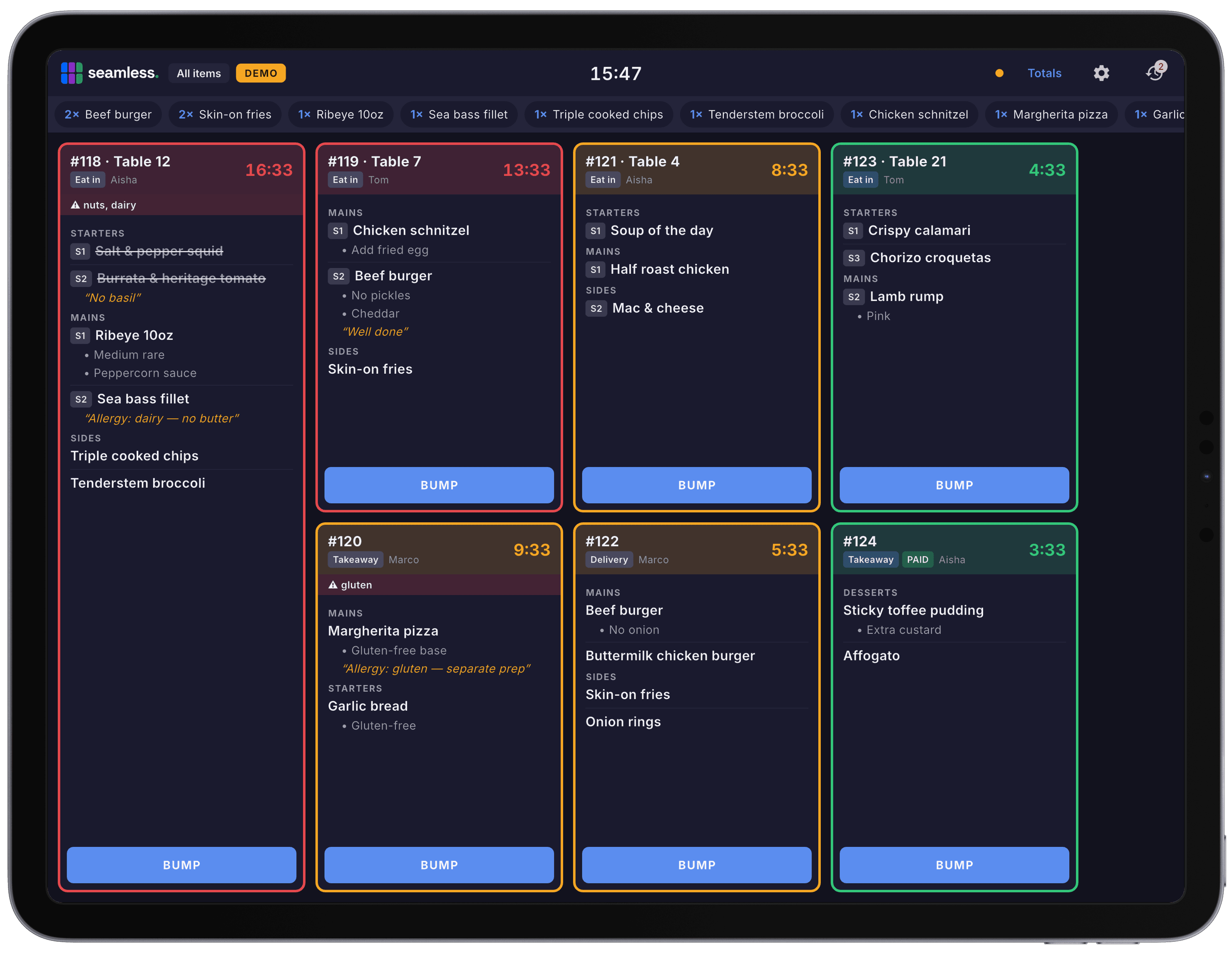
Seamless KDS shows every order the second it is sent, colour coded by how long it has been waiting, on a tablet you already know how to use.
Colour coded urgency
Timers that measure real kitchen time
Every ticket carries a timer showing how long it has been waiting, and the card changes colour as it ages: fresh, then warning, then late. Badly overdue tickets flash so nothing quietly slides.
The timer starts when the kitchen received the ticket, not when the server first opened the order at the till. A table that sat with an open tab for an hour does not arrive in the kitchen already red, so the number on screen is one you can actually manage to.
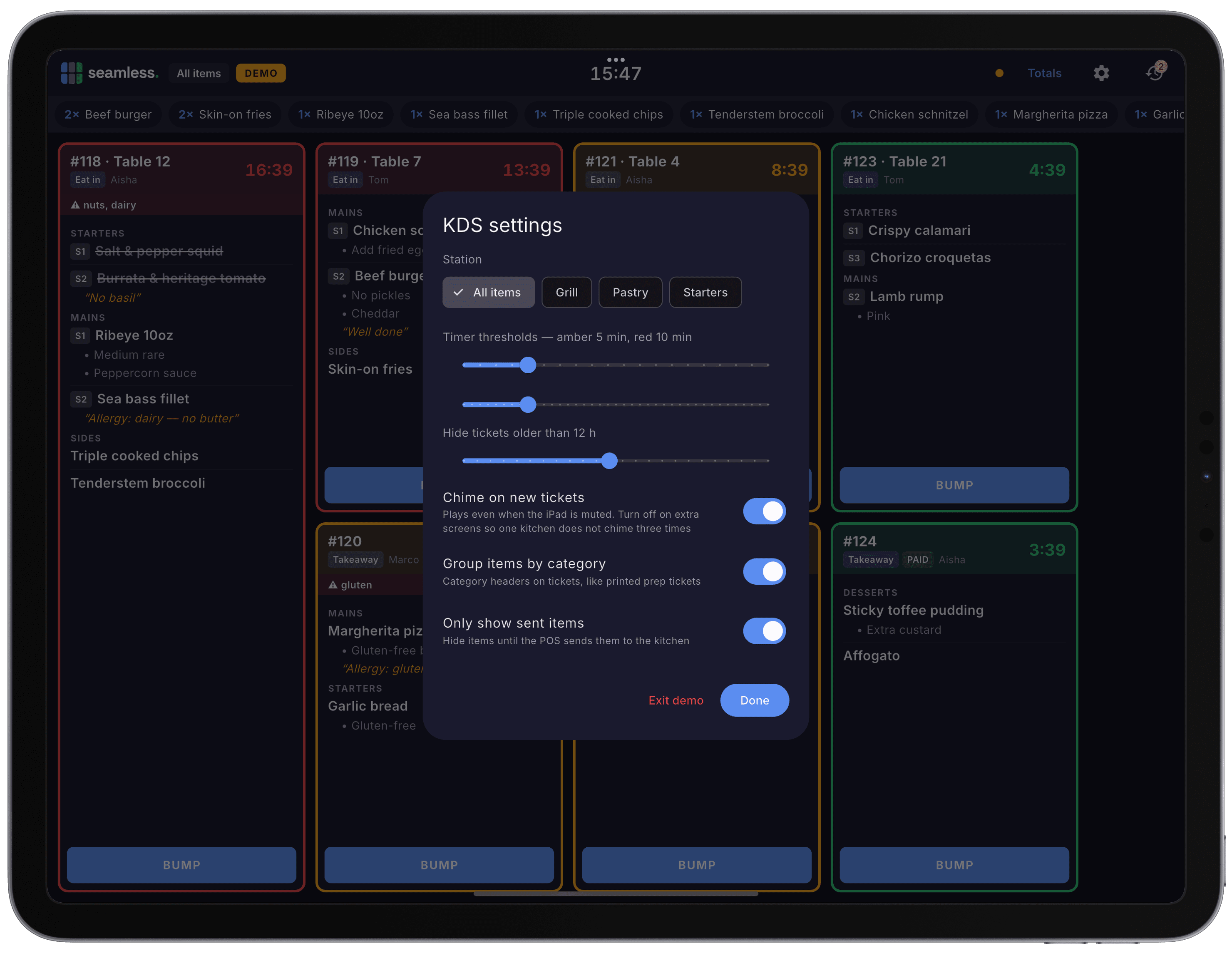
Amber and red thresholds are set per screen, so a dessert station can run to different timings from the grill.
Working a ticket
Fire, done, bump, recall
Tap an item to fire it. That starts a cook timer on that line, so you can see how long an individual dish has been on.
Tap again to mark it done. The line is struck through on every screen, and the state survives an app restart.
Bump the ticket when it leaves the kitchen. One button clears the whole card.
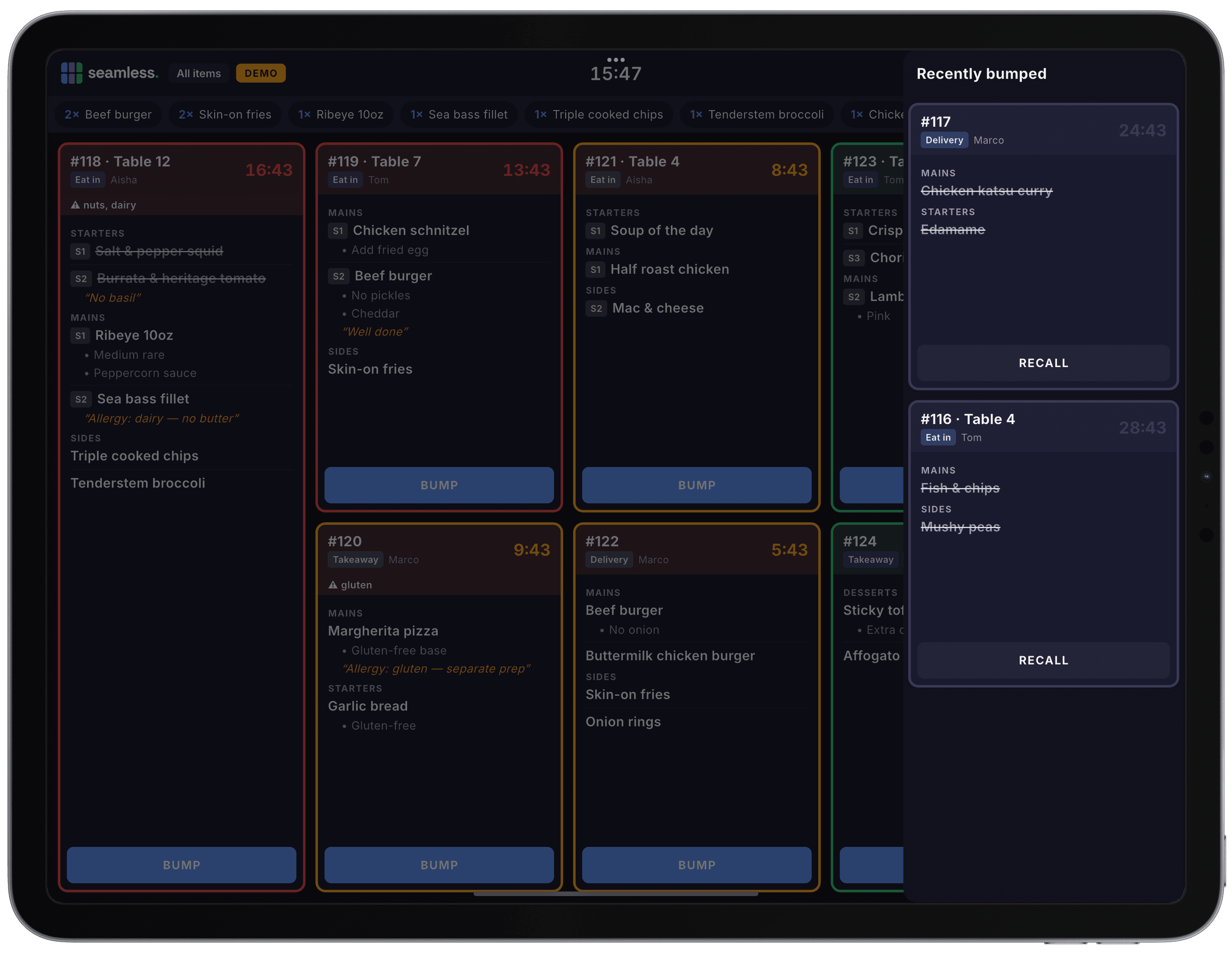
Recall it if you bumped too soon. Recently bumped tickets sit on the recall rail, one tap from coming back.
Modifiers are listed under each item and kitchen notes are always shown and highlighted, because a note is the one thing a chef cannot work out from the product name. Any ticket with declared allergens carries a warning strip across the top of the card.
One coursing model everywhere
Courses and seats, exactly as they print
If your venue uses coursing, coursed tickets group under course headers in your own course names and colours. Anything without a course is always listed first, so nobody has to hunt for it.
Each screen follows its print route's course grouping setting, exactly like the printed ticket does, and expedite view shows courses whenever coursing is switched on. If you use seat assignment, seat badges appear on the lines of any screen whose route prints seats.
The till, the printers and the screens share one model, so a change made once is a change made everywhere.
Offline first, like the tills
Nothing disappears when the internet does
Seamless KDS stores everything on the device, in the same way the Seamless tills do. A router hiccup or a dropped line does not blank the kitchen mid service, and when the connection comes back the screen catches up on its own.
Orders land on the screen about a second after the till sends them, and item states sync across every screen in the building. Mark a dish done on the grill screen and it shows as done on the pass.
There is no kitchen server, no controller box and no special wiring. It is an ordinary tablet and the app.
Live in the kitchen in three steps
No kitchen server, no controller box, no engineer visit. It is a tablet and an app, and if you already run Seamless with kitchen printers, most of the work is done, because each screen simply shows what one of your printers would have printed. New to Seamless? The screens are set up in the same guided onboarding as the till.
Install the app
Search for Seamless KDS on the App Store for iPad, or on Google Play for Android tablets. We recommend a screen of 11 inches or larger.
Sign the screen in
Sign in once with your Seamless email and password, or by QR code on a dedicated Android display. After that the tablet behaves as a kitchen appliance.
Choose a station
A station is one screen's view of the kitchen, mirrored from a print route. Pick Food, Drinks or Desserts and the screen shows exactly what that printer would have printed, with the same grouping rules, seat numbers and category settings. Leave it unset and the screen shows every item, which is what you want on the pass.
Kitchen display system FAQs
The questions UK operators ask us most about running a kitchen screen.
A kitchen display system built for real service
Seamless KDS is the kitchen display system built into Seamless POS, the UK hospitality EPOS used by restaurants, pubs, cafés and takeaways. Orders reach the screen the moment front of house sends them, grouped by station, timed from the moment the kitchen received them, and synced across every screen in the building. Because stations mirror the kitchen print routes you already run, there is no second routing setup to build and no config to keep in step.
It runs on ordinary iPad and Android tablets, works offline like the tills, and sits alongside your prep printers rather than forcing you to rip them out. Coursing, seat numbers, allergen warnings, modifiers and kitchen notes all come through exactly as they print today.
Seamless KDS is part of the wider Seamless platform, alongside stock management, AI sales analysis and EPOS for restaurants. See pricing for what is included in your plan.